You arrive knowing everything.
Every wedding detail in one place, pulled from your emails, contracts, questionnaires, and timelines, and checked for what doesn’t add up.
Details change. Things get missed. And decisions made months ago get buried in conversations you haven’t opened since.
By the time the wedding comes around, you shouldn’t have to remember where everything lives.
We built this because we needed it ourselves.
We’re wedding photographers too, and we know how much work happens before you ever pick up the camera. You’re trying to make sure you have every detail, understand what the couple wants, know what’s in the timeline, have the right contacts, and catch anything that could become a problem on the wedding day.
And even after all that prep, you’re still opening emails, questionnaires, timelines, and notes during the wedding, looking for a coordinator’s number, the family photo list, an address, or that one detail you know you saw somewhere.
We got tired of piecing it all together ourselves. So we built a system that brings those details into one place, checks them against each other, and keeps what you need close when the wedding day comes.
Herman & Katrin, wedding photographers.
What it actually does
Every detail, connected.
It finds missing details, flags conflicting information, and keeps track of what’s already been agreed on, bringing everything into one clear view of your wedding day.
- OverTimeline runs 9h 15m. Coverage is 8h.The timeline runs from 12:00 PM to 9:15 PM, but your coverage ends at 8:00 PM. No additional coverage has been agreed on.
- MissingCoordinator’s phone number.The couple confirmed they’ll have a day-of coordinator, but their phone number was never provided.
- MissingNo time allocated for the first look.The couple confirmed they want a first look in their questionnaire, but there’s no time set aside for it in the latest timeline.
- ConflictTwo different getting-ready locations.The questionnaire says the hotel. The latest timeline says the family home, 22 minutes away.
- LightCouple portraits are scheduled after sunset.The timeline has couple portraits at 7:15 PM. Sunset is at 6:52 PM, 23 minutes earlier.
The actual screens
Example project · demo data
The same wedding on a phone: six days out, two days out, and on the day itself.
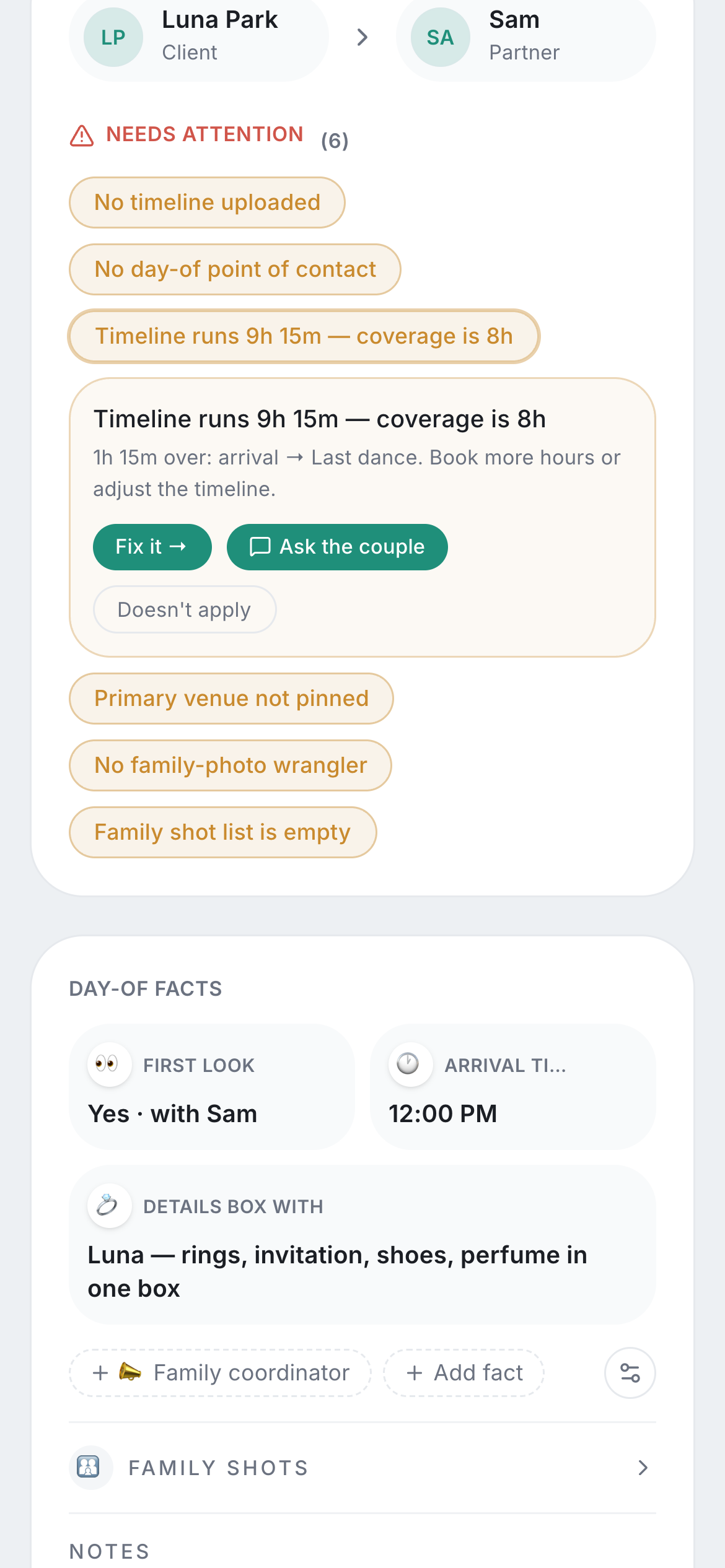
Six days out. Everything that still needs attention. Tap a flag and it opens: what doesn’t add up, and what it can do about it, fix it or ask the couple.
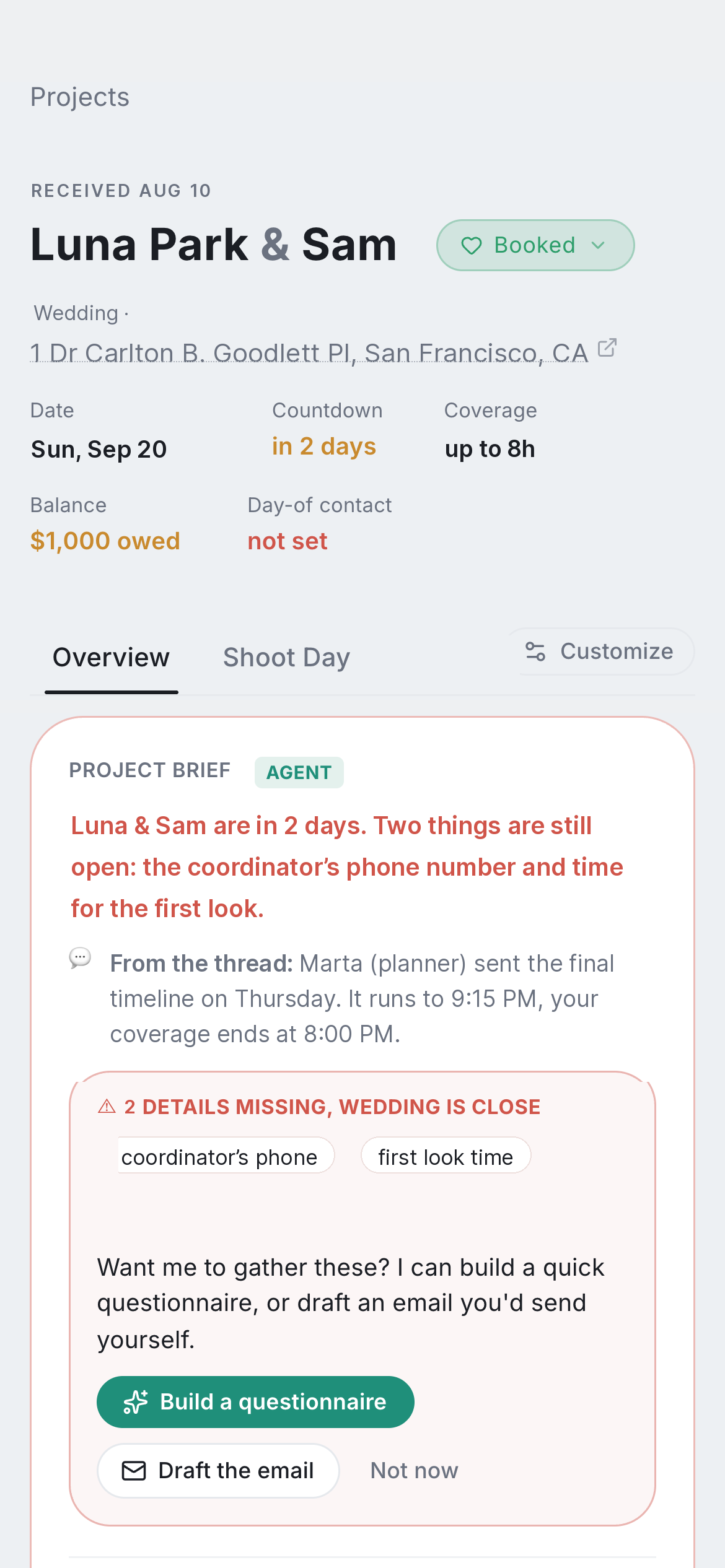
Two days out. What you already know, what you’re still missing, and what needs attention before the wedding.
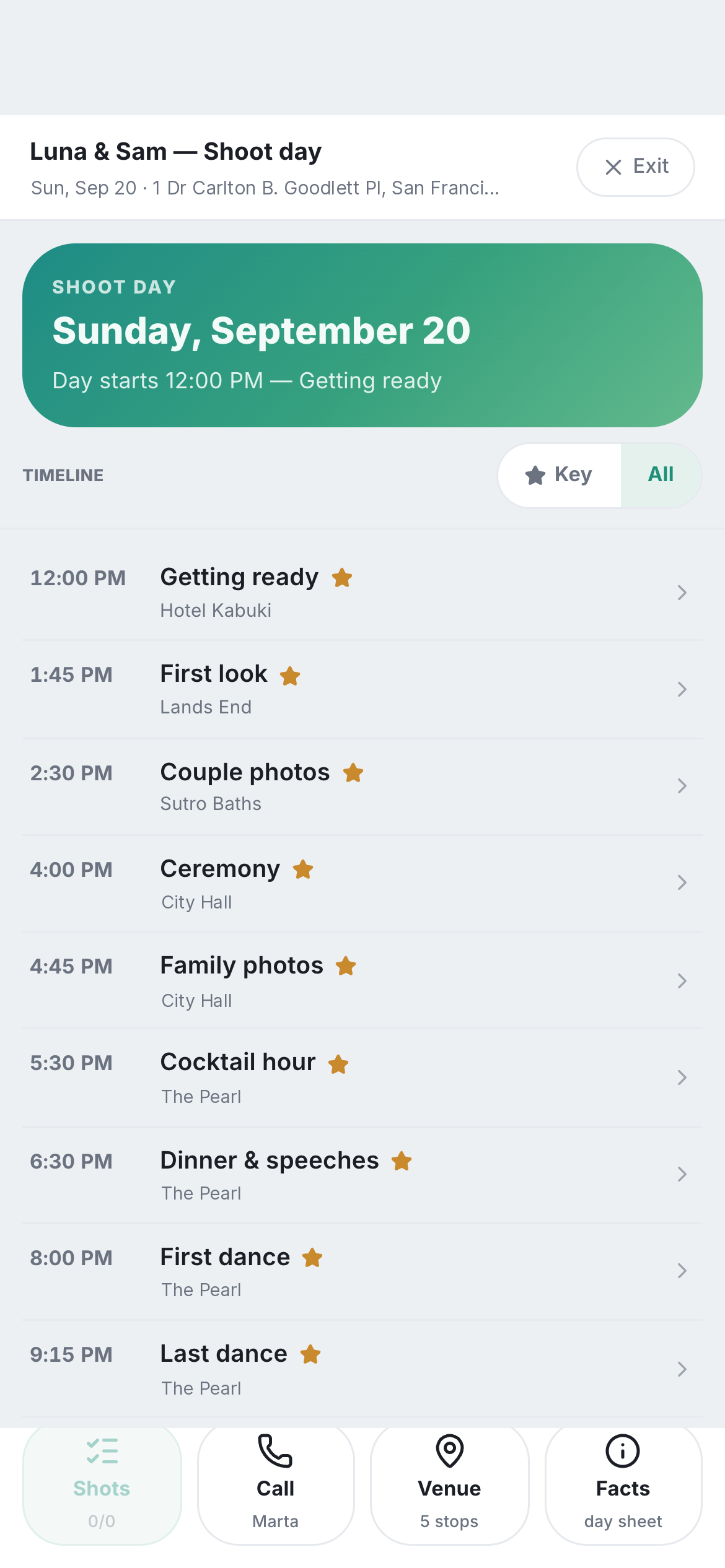
Wedding day. A live timeline that shows what’s happening now and what’s next, with every location, contact, note, shoot list, and key detail one tap away.
None of this was entered by hand.
Everything above was found across emails, questionnaires, contracts, and timelines.
Most tools give you another checklist to fill out. This starts with the information that’s already there and shows you what’s still missing or doesn’t add up.
How it works
It works from what’s already there.
Connect your email, upload the documents you already use, or send questionnaires directly from here. Emails, attachments, contracts, timelines, questionnaires, and invoices all become part of the same wedding.
It reads across them, connects the details, and checks them against each other, so it can catch what’s missing, what changed, and what doesn’t add up.
The questionnaire says they want a first look with Dad. The latest timeline doesn’t include one. Their contract says 8 hours of coverage, but the timeline now runs for 9. No single document tells you there’s a problem. You’d have to go back through everything and compare it yourself.
Who it’s for
A good fit
- Weddings are a meaningful part of your business.
- Information comes in over weeks or months, across emails, questionnaires, contracts, and timelines.
- You want to arrive prepared, knowing what matters, where you need to be, and what’s coming next.
- You’d rather catch a missing detail or a timeline problem before the wedding than discover it in the middle of the day.
Not a fit
- You only shoot a few weddings a year.
- You’re looking for an all-in-one CRM for leads, contracts, invoices, and bookings.
- You’re comfortable showing up with the basic schedule and figuring out the rest as the day unfolds.
Sign up
Get early access
It already runs on our own weddings, and now we’re opening it to a small group of photographers. Early access is intentionally limited while we set up each studio by hand.